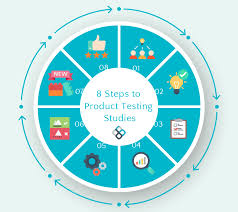
Ever put something new into the world, only to find out it’s not quite right? That feeling can be tough. We put so much work into creating something we believe in. Then, sharing it feels like a big step. But what if the first users find a problem? It’s a common worry for creators. This guide will help you feel confident. You’ll learn smart ways to check your product. This makes sure it’s ready for everyone.
Testing a product means checking it well before sharing it widely. This helps find problems early. It makes sure the product works as planned. Good testing leads to happy users and fewer issues later.
What is Product Testing Really?
Think of product testing as giving your creation a thorough check-up. It’s like a doctor looking at you when you’re not feeling well. They ask questions. They do tests. They check your heart and lungs. They want to find out what’s going on inside. Product testing is similar. You want to look at your product from every angle. You want to see if it does what it’s supposed to do. You also want to see if it causes any trouble.
This isn’t just about finding bugs. It’s about understanding how real people use your product. It’s about seeing if it makes sense to them. Does it solve their problem? Is it easy to understand? Is it a joy to use? These are big questions. Testing helps you find the answers. It helps you make your product better. It’s a vital step for any creator.
Why does this matter so much? Imagine launching an app. You worked hard on it. But users find it confusing. They can’t figure out how to do the main thing it’s built for. They might leave and never come back. Or think about a new kitchen gadget. It looks great. But a key part breaks after a few uses. People won’t trust it. They’ll tell their friends.
So, testing isn’t just a box to tick. It’s about respect for your users. It’s about building trust. It’s about setting your product up for success. It shows you care about quality. You want users to have a good experience. You want them to get value from what you made. This process helps you deliver that.
My Own Testing Mishap
I remember working on a small online course. It was about gardening basics for city dwellers. I thought I had covered everything. I explained how to grow herbs on a windowsill. I showed how to pick the right pots. I even added a section on common pests. I felt pretty good about it. I launched it to a small group of friends for feedback.
One friend, Sarah, a busy graphic designer, tried it. She was excited to grow some basil. But she got stuck right away. The video player on the third lesson wouldn’t load for her. She tried refreshing. She tried a different browser. Nothing worked. She emailed me, sounding a bit frustrated. “I can’t see the video on planting!” she wrote.
My heart sank a little. I had tested the videos on my own computer. They worked fine. But I hadn’t considered different internet speeds or older devices. I hadn’t asked others to try them on their own setups. I felt a pang of panic. This was exactly what I wanted to avoid. I had made it hard for someone to use my course.
It took me a few hours to figure out the issue. It was a small setting on the video hosting platform. It was set too high for some users. I adjusted it. Then I asked Sarah to try again. She replied quickly, “It works now! Thanks!” That moment taught me a big lesson. My own testing wasn’t enough. Real users, in their own environments, are key.
Different Ways to Test Your Product
There are many ways to test. Each helps you see something different. You don’t have to do them all. But picking a few makes your product stronger.
User Testing: The Heart of It All
This is where you watch real people use your product. They might be strangers or people you know. You give them a task to do.
Then, you see how they do it. What do they click? Where do they pause?
Do they look confused?
Why it’s great: You see exactly where the confusion happens. You learn about their habits. You get direct feedback.
Beta Testing: A Wider Net
Here, you let a larger group of people use your product before everyone else. They get early access. They are often asked to report bugs or issues.
It’s like a soft launch.
Why it’s great: You find bugs you might have missed. You get feedback on features. It helps build early buzz.
Expert Review: A Professional Eye
Someone who knows your field well looks at your product. They might be an industry expert or a seasoned tester. They check for best practices and potential problems.
Why it’s great: They have a sharp eye for detail. They know what works in other products. They can offer deep insights.
Usability Testing: Smooth Sailing
This focuses on how easy your product is to use. Can someone figure it out without much help? Is the flow logical?
Are buttons clear?
Why it’s great: It directly improves the user experience. It makes your product more user-friendly.
Performance Testing: Speed and Strength
Does your product run fast enough? Can it handle many users at once? This is key for apps and websites.
Why it’s great: It ensures your product is reliable. It won’t crash or slow down when needed.
Security Testing: Keeping Data Safe
If your product handles any user information, this is vital. Does it protect against hackers? Is user data safe?
Why it’s great: It builds trust. It protects users and your reputation.
Planning Your Product Test
Testing is not random. It works best when you plan it. Think about what you want to learn. What are your main goals?
First, know your target users. Who are you making this for? What are their skills? What are their needs? Testing with the right people is super important. Testing your gardening course with expert botanists might not show you where beginners get stuck. You need to test with people like Sarah.
Next, define your goals. What specific questions do you want answered? Are you checking if users can complete a key task? Are you looking for any major bugs? Are you measuring how long a task takes? Clear goals guide your test.
Then, choose your tasks. What will you ask testers to do? Make these tasks realistic. They should match how people would actually use your product. Instead of saying, “Use the search feature,” say, “Find a recipe for pesto pasta.”
Also, decide what to measure. Will you count errors? Will you time tasks? Will you ask for ratings on a scale? Maybe you’ll just watch and take notes.
Finally, pick your testing method. Based on your goals and resources, choose the best way to test. A few friends trying it out is good. A formal beta group is better. Watching someone struggle live is powerful.
Conducting User Testing: Step-by-Step
Let’s dive deeper into user testing. This is often the most revealing.
1. Find Your Testers: Look for people who fit your ideal user profile. You can ask friends, family, or people in online communities related to your product. Offer them a small thank you, like a gift card or free access to your product.
2. Prepare Your Materials: You’ll need your product ready. Make sure it’s in a stable state. Prepare a clear set of instructions for the tasks you want them to complete. You might also want a script for yourself to guide the session.
3. Set Up the Environment: If testing in person, find a quiet space. If remote, ensure they have a stable internet connection. Make sure they know they are being observed, but also reassure them that you want to see how they use it, not judge their skills.
4. Run the Session:
Welcome and explain: Start by making them feel comfortable. Explain the purpose of the test. Tell them you’re testing the product, not them.
Think aloud: Encourage them to speak their thoughts as they use the product. This is gold! “Hmm, I expected this button to be here.” or “I’m not sure what this icon means.”
Give tasks: Present the tasks one by one. Let them try to complete them.
Observe and note: Watch closely. Jot down everything you see. Where do they click? What do they hesitate on? What do they say? Don’t interrupt unless they are completely stuck and frustrated.
Ask follow-up questions: After a task, or at the end, ask them about their experience. “What was easy about that?” “What was difficult?” “What would make it better?”
5. Analyze the Results: After the sessions, gather all your notes. Look for patterns. Where did most testers struggle? What feedback came up often? What tasks were easy? What were hard?
6. Make Changes: Use this feedback to improve your product. Fix the bugs. Clarify confusing parts. Make the flow smoother.
Quick-Scan Table: User Testing Dos and Don’ts
| DO: | DON’T: |
| Welcome testers and make them comfortable. | Tell testers how to use the product. |
| Encourage “thinking aloud.” | Interrupt or help too quickly. |
| Ask open-ended questions. | Lead testers to answers. |
| Observe carefully and take notes. | Focus only on finding bugs. |
Beta Testing: Getting Broader Feedback
Beta testing is like inviting a larger group to try your product. These users are often more invested. They might be waiting for your product. They are often happy to help you find issues.
When you start a beta test, make sure you have a clear way for users to report problems. This could be a simple email address, a dedicated feedback form, or even a specific channel in a community forum.
What should you look for during beta testing?
Bug Reports: Users will find technical errors. These could be anything from a button not working to a crash.
Usability Issues: They might tell you that a feature is confusing or hard to find. This is different from a bug. It’s about the design.
Missing Features: Users might suggest things you haven’t thought of. These are valuable ideas for future updates.
Performance Problems: If many users report that the product is slow, that’s a performance issue to address.
I ran a beta test for a small mobile app I created. It helped me find a few critical bugs. One user pointed out that the font size was too small on older phones. Another found a way to make the app crash by doing a specific sequence of actions. Without that beta group, these would have likely hit my wider launch.
It’s important to thank your beta testers. They are giving you their time and effort. Let them know you appreciate their help. Share with them what changes you made based on their feedback. This makes them feel valued and more likely to support your product later.
Expert Reviews: The Professional Perspective
Sometimes, you need a sharper eye. An expert review brings in someone who deeply understands your product’s field. They have seen many similar products. They know what works and what doesn’t.
These experts can spot problems you might not even think of. They might see potential design flaws or usability issues that are subtle. They can also assess if your product meets industry standards. For example, if you’re building a financial tool, an expert might check if it follows common security practices.
How do you get an expert review?
Reach out: Find experts in your niche. This could be bloggers, consultants, or even people who have written books on the topic.
Offer an incentive: Experts are busy. You might need to offer payment for their time. Or, if your product is revolutionary, they might review it for the sake of being first.
Provide clear instructions: Tell them exactly what you want them to focus on. Give them access to your product and any necessary background.
An expert review can be costly, but it’s often worth it. They can catch major issues before they impact many users. They can also provide validation. If an expert praises your product, it’s a powerful signal to others.
Testing Specific Product Types
The best testing methods can change based on what you’re making.
Software and Apps
For software, testing is often very technical. You look for bugs in the code. You check if it works on different operating systems and devices. Performance testing is crucial. Can it handle many users? Is it secure?
Unit Testing: This checks small pieces of code.
Integration Testing: This checks how different code parts work together.
System Testing: This checks the whole program.
User Acceptance Testing (UAT): This is often done by end-users. They confirm the system works for them.
Physical Products
For physical items, testing is about durability and function.
Durability Testing: How long does it last under normal and harsh use?
Stress Testing: What happens when you push it to its limits?
Safety Testing: Does it meet safety standards? Are there sharp edges? Is it made of safe materials? (Think Consumer Product Safety Commission guidelines in the US).
Ergonomics Testing: Is it comfortable to hold and use?
I remember a friend who made custom furniture. He spent hours testing the joints on a new chair design. He’d sit on it, stand on it (carefully!), and put weight on it in different ways. He wanted to make sure it wouldn’t break under normal, and even slightly rough, use.
Websites
Website testing focuses on user experience and performance.
Browser Compatibility: Does it look and work right on Chrome, Firefox, Safari, etc.?
Responsive Design Testing: Does it adapt well to phones, tablets, and desktops?
Load Testing: How does the site perform when many people visit at once?
Accessibility Testing: Can people with disabilities use your website? This is increasingly important.
Myth vs. Reality: Product Testing
Myth:
Testing is only for big companies with lots of money.
Reality:
Even simple tests with friends help a lot. You can do a lot with little budget.
Myth:
If I test it myself, that’s enough.
Reality:
You know your product too well. Others will see problems you miss.
When is Testing “Enough”?
This is a tricky question. There’s no single answer. You can test forever and still find new things. The key is to test until you feel confident.
You should feel confident when:
You’ve addressed the critical bugs. These are the show-stoppers.
Most users can complete the main tasks easily.
The user experience is positive. People aren’t overly frustrated.
You’ve met any essential requirements (like safety or legal standards).
It’s a balance between perfection and readiness. For some products, especially if they handle money or sensitive data, you need very rigorous testing. For a simple hobby project, a few rounds of testing might be fine.
Think about the risk. If a problem with your product could cause harm or significant financial loss, you need to test much more thoroughly. If a minor issue just causes a little annoyance, you might decide to launch and fix it later based on broader feedback.
Common Pitfalls in Product Testing
Even with the best intentions, testing can go wrong. Here are some common mistakes to avoid:
Testing Too Late: Waiting until the very end to test is a huge mistake. You’ll find problems, but fixing them might be very hard or costly. Test early and often.
Not Testing with Real Users: Relying only on your own testing or your team’s testing is not enough. You need fresh eyes.
Vague Test Goals: Not knowing what you want to learn makes testing unfocused. You might miss important feedback.
Biased Testers: Testing only with people who are guaranteed to love your product. They might not give you honest, critical feedback.
Ignoring Feedback: Gathering feedback but not acting on it. This wastes your time and the testers’ effort.
Over-Testing: Spending so much time testing that you miss your market window. You need to launch at some point.
I once saw a team spend months perfecting a feature. They kept adding more and more small tweaks. By the time they launched, the market had moved on. They had a “perfect” feature that nobody needed anymore. It taught me that timing is also a kind of test.
Analyzing Feedback: What to Look For
Once you have feedback, how do you make sense of it?
First, categorize the feedback. Is it a bug report? A suggestion for a new feature? A comment on usability?
Then, look for patterns. If three different people mention the same problem, that’s a high-priority issue. If only one person struggles with something, it might be an isolated issue.
Prioritize ruthlessly. Not all feedback is equal. Focus on what impacts the core function of your product. What prevents users from achieving their main goal? What causes major frustration or breaks the product?
Consider the source. Feedback from a trusted expert might carry more weight than feedback from someone who misunderstood the product’s purpose.
Remember your original goals for testing. Did you get answers to your questions?
What This Means for You: Normal vs. Concerning
Normal Feedback:
- “I wish this button was a different color.”
- “It took me a second to find the save button.”
- “Could you add a feature to do X?”
- Minor typos or grammatical errors.
Concerning Feedback:
- “The app crashed when I tried to do this.”
- “I can’t figure out how to complete the main task.”
- “I don’t trust this with my information.”
- Physical product broke after one use.
- Safety concerns (e.g., sharp edges, overheating).
Quick Tips for Better Testing
Start Simple: Don’t get overwhelmed. Even informal testing is better than none.
Be Specific: Ask testers to do concrete things.
Listen More, Talk Less: Let the testers do the work. Your job is to observe.
Stay Neutral: Don’t defend your product. Your goal is to find its weaknesses.
Document Everything: Keep good notes. It helps you remember and track progress.
Test on Different Devices: If your product is digital, check it on various phones, tablets, and computers.
Test with Different Internet Speeds: Slow internet can reveal hidden problems.
Frequently Asked Questions About Product Testing
How often should I test my product?
You should test your product regularly. Test early in development. Test after adding new features. Test before a major launch. Continuous testing is the best approach.
What’s the difference between usability testing and user testing?
Usability testing focuses on how easy your product is to use. User testing is broader. It watches real users interact with your product to find any problems, including usability issues and bugs.
Can I test my product alone?
While you can do some self-testing, it’s not enough. You are too familiar with your product. You need fresh eyes from people who don’t know it as well to find problems you’d miss.
How many testers do I need?
For user testing, even 5 users can reveal about 85% of major usability issues. For beta testing, more is better to find a wider range of bugs.
What if I can’t afford professional testers?
Start with friends and family. Offer small incentives like gift cards or free products. Post in online communities related to your product. Many people are willing to help if asked nicely.
Should I fix every bug found?
No, you don’t have to fix every bug. Focus on critical bugs that break the main function or cause significant problems. Minor issues can sometimes be addressed in later updates.
Final Thoughts on Testing
Testing your product is a journey. It’s about making sure what you’ve built is truly ready. It’s about caring for the people who will use it. By testing well, you build trust. You create better experiences. You set your creation up for the success it deserves. Embrace the process. Learn from the feedback. Your users will thank you.
},
},
},
},
},
} ] }